

How to Install Fortnite on iOS: A Step-by-Step Guide
 11469
11469







Fortnite continues to be an immensely popular game worldwide, but installing it on iOS devices can present some challenges, especially due to current regional restrictions. This guide will explain how to install Fortnite on your iPhone or iPad, both for users within the European Union (EU) and outside of it.
Ensure Your Device is Compatible
Before you begin, make sure your iOS device is updated to version 17.4 or higher. This version is necessary for installing the Epic Games Store, which is the primary platform for downloading Fortnite.
To check your iOS version:
- Go to Settings.
- Tap General.
- Select Software Update.
- If an update is available, tap Download and Install.
Installing Fortnite for Users in the EU
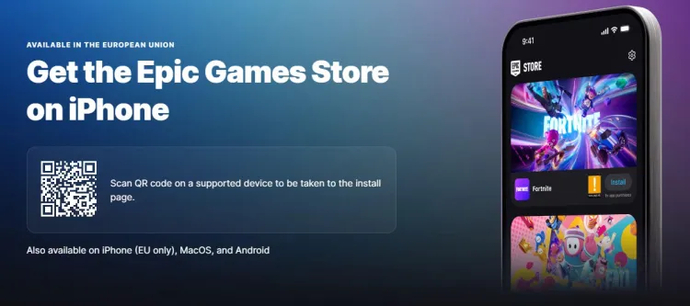
For users in the EU, the process is straightforward. You can download Fortnite through the Epic Games Store. Follow these steps:
- Visit the Epic Games Store: Use the link to the Epic Games Store. Downloading it will allow you to install Fortnite.
- Install the App: Tap Install iOS and follow the instructions for installation.
- Allow App Installations: If prompted about blocking installations from Epic Games, go to your settings and permit the installation of apps from third-party developers.
- Complete the Installation: After setting up, return to the Epic Games Store and complete the installation.
Installing Fortnite Outside the EU
For users outside the EU, alternative methods for installing Fortnite are available:
Using a Proxy Server and New Apple ID
- Set Up a Proxy Server: Configure a proxy server on your home router to hide your actual location.
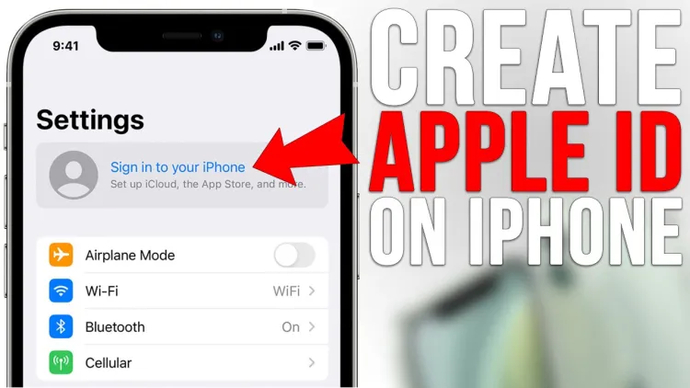
- Create a New Apple ID: Create a new Apple ID registered with an address from a region where Fortnite is available.
- Install iOS 18 Beta: This method works best with the iOS 18 beta version. Ensure your device is running this version.
- Download Fortnite: With the proxy server and new Apple ID set up, download Fortnite directly from the App Store. Note that this method is more effective on iPads without a SIM card to prevent location detection.
Conclusion: The Legal Dispute Between Apple and Epic Games
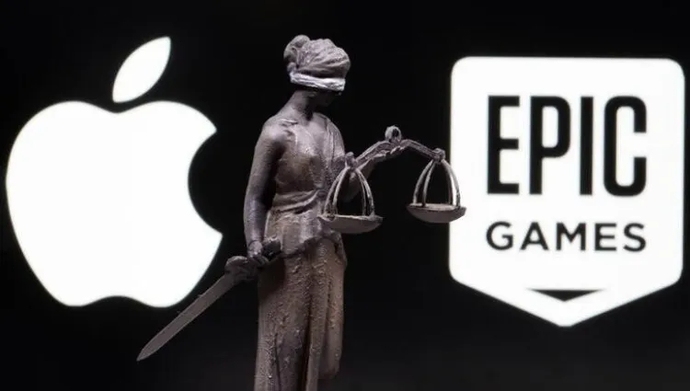
The process of installing Fortnite on iOS devices has become more complicated due to the legal dispute between Apple and Epic Games. The conflict began when Epic Games introduced a direct payment system within Fortnite, bypassing Apple’s payment system. In response, Apple removed Fortnite from the App Store, leading to a legal battle between the companies.
Court decisions have led to various restrictions, particularly for iOS users. Users in the EU can access Fortnite via the Epic Games Store or Alt Store. For users outside the EU, alternative methods such as using a DNS server, Troll Store, proxy server, and a new Apple ID are available.
We hope that at least one of the methods above has worked for you and that you can enjoy one of the best battle royale games on your iOS device.

Danil Chepil er ekspert i esportsverdenen og har fulgt esportsscenen siden 2014. Han har specialiseret sig i Counter-Strike, Dota 2 og VALORANT.
Danil begyndte sit bekendtskab og samarbejde med EgamersWorld i 2022, da han efter den russiske aggression ikke længere kunne fortsætte sin karriere som bartender.
På det tidspunkt var han ikke klar over, at han havde et talent for at skrive nyheder og artikler om e-sport og gaming-emner.


 Sådan kommer du ind på Lioncrest Manor - Strongbox Puzzle-løsning til Crimson DesertCrimson Desert's Lioncrest Manor kræver, at man klatrer op ad et vindue på anden sal - se her, hvordan du kommer ind.
 vitaliiD
 Alt, hvad vi ved om Samson: En Tyndalston-historieAlt, hvad vi ved om Samson: A Tyndalston Story - udgivelsesdato, gameplay, historie og funktioner i Liquid Swords' intense actionspil, der foregår i en barsk, ubarmhjertig by.
 fauesde
 Sådan løser du alle Sanctum-gåder i Crimson DesertFind ud af, hvordan du løser alle helligdomsgåder i Crimson Desert - fuld guide til helligdomme, kernemekanik og belønninger.
 Dima Ostapchuk
 VRS-ranglisteresultater og holdliste til IEM Köln Major 2026Holdene til IEM Köln Major 2026 er afsløret: NAVIs historiske stime fortsætter, FaZe går glip af noget, og nye hold som SINNERS og THUNDERdOWNUNDER får deres debut.fauesde